
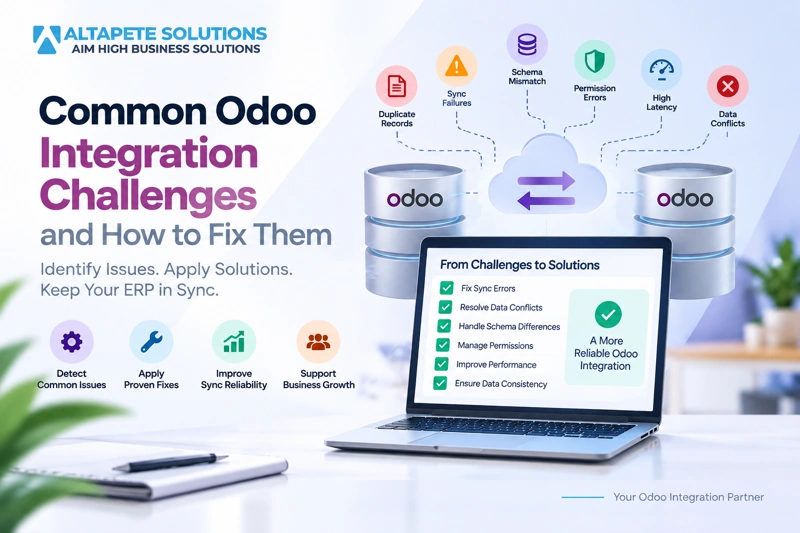
Common Odoo Integration Challenges and How to Fix Them
Odoo integration challenges often appear after a connection has already been built and data begins moving between real business systems. An integration may work correctly during development but later produce duplicate records, failed synchronization, permission errors, slow updates, schema mismatches, or conflicting values when actual users and real transaction volumes are introduced.
These problems do not always mean the integration technology is wrong. In many cases, Odoo integration errors are caused by unclear data ownership, incomplete validation, weak record matching, inconsistent permissions, or assumptions about how connected systems structure and update information.
The most reliable way to solve Odoo integration challenges is to identify the actual point of failure instead of repeatedly retrying the same transaction. Teams need to understand whether the problem comes from data, mapping, authentication, business rules, system performance, or the synchronization architecture itself.
This guide explains the most common Odoo sync issues, why they happen, how they can be fixed, and what businesses can do to prevent the same problems from returning after the integration goes live.
Why Odoo Integration Problems Happen
An Odoo integration sits between systems that may have been designed for very different purposes. A CRM, eCommerce platform, accounting application, warehouse system, or another Odoo instance can use different fields, identifiers, validation rules, permissions, and business workflows even when both systems appear to manage the same information.
As data passes between those systems, the integration has to translate not only technical fields but also business meaning. A customer record in one platform may not match the customer structure in Odoo, while a product status or tax value may require transformation before it can be accepted.
This is why many Odoo integration challenges appear only after realistic data enters the synchronization process. Simple test records may work perfectly while older, incomplete, duplicated, or customized records expose weaknesses in the mapping and validation logic.
A strong integration architecture anticipates these differences and provides clear rules for matching, transforming, validating, rejecting, retrying, and reconciling information.
Challenge 1: Duplicate Records
Duplicate records are among the most common Odoo integration errors because connected systems often identify the same customer, supplier, product, or transaction in different ways. If the integration cannot reliably determine whether a record already exists, it may create a new record every time the same information is received.
For example, a customer may be identified by email in one system but by an internal customer number in another. If an email address changes, an integration that depends entirely on email matching may incorrectly interpret the same customer as a new business entity.
The best solution is to use stable identifiers such as controlled external IDs, customer references, product SKUs, barcodes, tax identifiers, or dedicated integration keys. These identifiers should be stored and reused so the integration can consistently identify corresponding records.
Duplicate prevention should also be tested by sending the same transaction multiple times. A reliable integration should either update the existing record or safely ignore the repeated request according to the agreed business rules.
Challenge 2: Failed Synchronization
A failed sync occurs when a transaction cannot successfully reach or be processed by the destination system. The failure may be caused by missing data, unavailable services, API timeouts, invalid values, authentication problems, or dependencies that have not yet been synchronized.
The first step is to determine whether the error is temporary or data-related. Temporary network failures may be suitable for automatic retry, while invalid customer references or missing products usually require correction before the transaction is attempted again.
Good Odoo integration support should provide clear logs that identify the source record, destination operation, failure time, error message, and retry status. Without this information, technical teams may spend significant time trying to reproduce problems that were already visible during synchronization.
A production integration should never allow failed transactions to disappear silently. Every failure should either recover automatically or become visible to the people responsible for correcting it.
Challenge 3: Schema Mismatch Between Systems
A schema mismatch occurs when connected applications represent information differently. One system may store a customer name in a single text field while another separates company name, contact name, and legal name into different fields.
The same problem can affect product categories, currencies, status values, taxes, dates, quantities, relational fields, and custom fields. A direct field-to-field transfer may therefore produce technically valid but semantically incorrect information.
The solution is to create a documented mapping layer that explains how every important source value corresponds to its destination. When values are not directly equivalent, transformation rules should convert them into the expected format before synchronization.
Schema mappings should also be reviewed after Odoo upgrades, custom module changes, or updates to connected applications. A mapping that worked correctly before a structural change may no longer produce the intended result afterward.
Challenge 4: Permission and Access Errors
Permissions are a frequent source of Odoo integration challenges because an integration account may be able to read certain records but lack permission to create or update others. These problems can be confusing because some synchronization operations may succeed while others fail.
Odoo evaluates access through user permissions, access rights, record rules, and field restrictions. The current Odoo documentation confirms that external API operations are validated against the security permissions of the user associated with the integration. Teams can review Odoo's official External API documentation when planning authentication and integration access.
A better practice is to create a dedicated integration user with only the permissions required for the intended workflow. Giving every integration administrator-level access may temporarily hide permission problems, but it creates unnecessary security risk.
Permission testing should verify both positive and negative scenarios. The integration should be able to perform authorized operations while remaining unable to access records or actions outside its intended responsibility.
Challenge 5: Data Conflicts Between Connected Systems
Data conflicts appear when two systems contain different versions of the same information and both are allowed to make changes. This is especially common in bi-directional integrations where updates can originate from more than one application or Odoo instance.
For example, a customer phone number may be updated in Odoo while another user changes the same phone number in a connected CRM. Without clear Odoo conflict resolution, the systems may repeatedly overwrite each other or produce unpredictable results.
The best solution is to define a source of truth for important fields. One system may own customer legal information while another owns sales notes, regional pricing, or local inventory values.
When both systems genuinely need permission to update the same field, the integration needs a documented conflict strategy. That strategy may use master-system priority, field-level ownership, approved timestamps, or manual review for high-risk conflicts.
Challenge 6: Synchronization Loops
Synchronization loops can occur in two-way integrations when an update received from one system is treated as a new business change by the destination and then sent back to the original system. The original system records the returned update and sends it again, creating an unnecessary cycle.
These loops can generate excessive API calls, confusing logs, performance problems, and repeated record updates. In some cases, they can also trigger automation or notifications that should have happened only once.
A reliable solution uses origin tracking, external identifiers, synchronization metadata, timestamps, or dedicated integration flags. The integration needs to recognize whether a change came from a real user or from a previous synchronization event.
Odoo sync issues involving loops should be tested deliberately before production. Teams should update the same record across both systems and confirm that the integration stops after the intended synchronization is completed.
Challenge 7: Missing or Invalid Data
An integration cannot reliably create a business record when the required data is incomplete or invalid. A sales order may require a valid customer, products, currency, company, taxes, payment terms, and other related information before Odoo can process it successfully.
If a source system sends a product that does not exist in Odoo, the integration needs to know what to do. It may synchronize the missing product first, hold the order in a queue, reject the transaction, or route it for manual review.
Strong Odoo data validation prevents incomplete transactions from entering the ERP. Required fields, identifiers, relationships, selection values, formats, and company assignments should be checked before critical records are written.
Validation should also produce useful error messages. Instead of reporting only that synchronization failed, the integration should explain which value or dependency caused the problem.
Challenge 8: Incorrect Field Mapping
Field mapping problems often create errors that are difficult to notice immediately because the transaction may still complete successfully. A source value can be stored in the wrong Odoo field without producing any technical exception.
This is particularly dangerous for financial, inventory, or classification data. An incorrect tax mapping, unit-of-measure conversion, product category, or company assignment can create downstream issues long after the original synchronization appears successful.
Teams should document source fields, destination fields, transformations, validation rules, and ownership for every important mapped value. Custom Odoo fields also need explicit review because they may have no equivalent in the connected application.
Mapping tests should compare business meaning rather than only technical data types. Two text fields may look compatible while representing completely different concepts.
Challenge 9: Slow Synchronization and Latency
Latency becomes a problem when information takes longer to move between connected systems than the business process can tolerate. A delay of several hours may be acceptable for reporting data but unacceptable for inventory availability or time-sensitive orders.
Slow synchronization can result from high transaction volumes, inefficient API usage, excessive individual requests, large payloads, database load, network performance, or processing logic that performs unnecessary work for every record.
The first step is to define how quickly each type of information actually needs to synchronize. Real-time processing should be reserved for workflows where immediate availability delivers a clear operational benefit.
Performance testing should then measure queue length, transaction throughput, API response times, failure rates, and processing duration. This provides evidence about where the bottleneck exists instead of assuming the problem is simply “Odoo being slow.”
Challenge 10: Large Data Volumes
An integration that works perfectly with 100 records may fail when processing 100,000. Large datasets can expose memory limitations, request timeouts, database performance issues, queue backlogs, and inefficient synchronization logic.
Bulk operations should be designed around realistic transaction volumes. Depending on the workflow, records may need to be processed in controlled batches rather than through one oversized request or thousands of inefficient individual calls.
The integration should also support safe recovery. If processing stops halfway through a large synchronization, it should be possible to continue from the failed point without recreating records that were already completed.
High-volume Odoo integration challenges are easier to solve when performance and recovery are tested before production migration or peak business periods.
Challenge 11: Custom Modules and Custom Fields
Customized Odoo environments introduce additional complexity because connected applications may not understand fields or business rules created specifically for one organization. A custom field may control approvals, pricing, compliance, routing, or another critical internal process.
If an integration ignores that field, the main record may synchronize while the downstream workflow fails. Custom code may also add validation that rejects records that would normally be accepted by standard Odoo.
The solution is to include custom models and fields in the integration discovery process. Development teams should identify which custom values need synchronization and which are intentionally local to one environment.
Customizations should also be reviewed during upgrades. An integration may need changes if a custom module is redesigned, replaced, or modified in a new Odoo version.
Challenge 12: Different Odoo Versions
Connecting different Odoo versions can create Odoo integration challenges because models, fields, APIs, customizations, and workflows may differ between releases. A mapping created for one version should not automatically be assumed to work unchanged with another.
Version differences become especially important in Odoo-to-Odoo integration. One instance may run a newer release while a subsidiary, acquired company, or regional operation still uses an older environment.
The integration should isolate version-specific differences through mapping and transformation rules. Testing should cover all record types that cross the version boundary, particularly custom modules and business-critical workflows.
Upgrade planning should include regression testing of integrations rather than checking only whether the Odoo application itself starts successfully.
Challenge 13: Authentication and API Key Problems
Authentication errors can stop an otherwise healthy integration immediately. Credentials may expire, keys may be revoked, account permissions may change, or configuration updates may cause an integration to use the wrong database or endpoint.
Dedicated integration credentials make these problems easier to manage and audit. Current Odoo guidance recommends dedicated bot users for extended automated integrations and explains that API activity remains subject to the access rights associated with that user.
Credentials should be stored securely rather than embedded carelessly in source code or shared configuration files. Teams should also have a defined process for replacing keys without creating unnecessary synchronization downtime.
Monitoring should distinguish authentication failures from normal validation errors. Repeated login or authorization failures generally require administrative action rather than repeated transaction retries.
Challenge 14: Inconsistent Master Data
Master data includes core shared records such as customers, products, suppliers, categories, currencies, units of measure, and other references that are used by business transactions. If these records are inconsistent, transactional synchronization becomes much harder.
For example, one system may use SKU A-100 while another uses A100 for the same product. Without controlled mapping or normalization, the integration may treat them as unrelated records and create duplicates.
A strong integration strategy defines where master data originates and which system is responsible for maintaining each important field. Stable external identifiers should connect equivalent records across systems.
Master-data cleansing should ideally happen before large-scale synchronization. Integrating poor data can spread existing quality problems more quickly rather than solving them.
Challenge 15: Incomplete Error Handling
Some integrations are designed almost entirely around successful transactions. When something fails, they return a generic error message or stop processing without explaining what happened.
Effective Odoo integration error handling should separate temporary infrastructure failures from data errors, security problems, mapping issues, and business-rule rejections. Each category may require a different recovery process.
Temporary errors can often be retried automatically, while invalid data may need correction before retrying. Authentication failures should normally generate alerts because repeated automated retries will not fix an expired or revoked credential.
Error handling should be part of the original integration architecture rather than something added only after users begin reporting missing records.
Challenge 16: Unsafe Retry Logic
Retry mechanisms are useful, but poorly designed retries can create duplicate customers, orders, invoices, or payments. This can happen when the destination system successfully completes a transaction but the integration does not receive the confirmation response.
The integration may assume that the transaction failed and send it again. If the destination cannot recognize the repeated message, a second record may be created.
Reliable integrations use stable transaction identifiers and duplicate-safe processing wherever possible. Before creating a new record, the system should determine whether the original transaction has already been completed.
Testing repeated messages is an important part of resolving Odoo sync issues because real networks and APIs will eventually experience interruptions.
Challenge 17: Reconciliation Differences
An integration can appear healthy while the connected systems gradually develop differences. Technical logs may show successful transactions even though some records were mapped incorrectly, manually modified, or never included in synchronization.
Reconciliation compares information between systems to identify these differences. Depending on the workflow, teams may compare transaction counts, identifiers, quantities, statuses, totals, or other business-critical values.
For example, if a source platform reports 5,000 orders while Odoo contains only 4,985 corresponding records, the difference should be investigated even if no current error queue is visible.
Reconciliation is particularly important for orders, inventory, invoices, and payments because small unnoticed differences can grow into larger operational or financial problems.
Challenge 18: Poor Monitoring
Without monitoring, a synchronization problem may continue for hours or days before an employee notices that data is missing. By that point, large backlogs or inconsistent records may already have developed.
Monitoring should track successful and failed transactions, queue sizes, retry counts, API availability, processing times, and the timestamp of the last successful synchronization. Alerts should focus on conditions that genuinely require attention.
A useful alert should identify the affected integration and provide enough context to begin investigation. Simply sending a message that “sync failed” can create additional troubleshooting work.
Effective monitoring turns Odoo integration support from reactive firefighting into proactive operational management.
Challenge 19: Unclear Data Ownership
Many Odoo integration challenges are ultimately governance problems rather than technical problems. If nobody knows which system owns a field, developers cannot create reliable synchronization rules.
For example, should customer credit terms be controlled by finance in Odoo or by users in a CRM? Should regional teams be allowed to change product descriptions controlled by headquarters?
These decisions need to be made before bi-directional synchronization is implemented. Field-level ownership can often provide more flexibility than declaring one entire system authoritative for every part of a record.
Clear ownership simplifies mapping, validation, Odoo conflict resolution, and troubleshooting because teams know which value should be trusted.
Challenge 20: Weak Testing Before Go-Live
A basic test often proves only that the ideal scenario works. Real production environments include duplicates, missing values, old records, unexpected characters, unavailable APIs, concurrent users, and incorrect permissions.
Integration testing should deliberately create failures. Teams should send duplicate messages, remove required dependencies, change credentials, create conflicting updates, interrupt connectivity, and test realistic transaction volumes.
These tests reveal how the integration behaves under pressure and whether its recovery mechanisms actually work. It is much safer to discover these weaknesses in a controlled environment than during live order processing.
Strong testing is one of the most effective ways to prevent recurring Odoo integration errors after launch.
How to Troubleshoot Odoo Integration Errors
Troubleshooting should begin with the exact failed transaction rather than broad assumptions about the entire integration. Identify the source record, destination operation, timestamp, synchronization direction, and actual error returned by the system.
Next, determine whether the problem is related to data, permissions, mapping, authentication, dependencies, infrastructure, or business rules. This classification usually narrows the investigation significantly.
If the same error appears repeatedly, look for a common field, model, company, transaction type, or source value. Repeated patterns often point to missing mappings or configuration problems rather than random failures.
After fixing the issue, test both the original transaction and similar records. A correction should resolve the underlying problem rather than only making one failed message disappear.
How to Prevent Odoo Sync Issues Before They Start
Prevention begins with integration discovery. Businesses should document the systems involved, the records that need synchronization, the source of truth, expected transaction volume, synchronization direction, and the business impact if updates are delayed.
Next, teams should define stable identifiers, mapping rules, data validation, conflict handling, error categories, retry behavior, reconciliation, and monitoring. These decisions create predictable behavior before development begins.
Testing should use realistic data rather than only clean sample records. Production-like scenarios reveal duplicate data, unexpected formats, company-specific differences, and other conditions that simple demonstrations often miss.
This planning significantly reduces long-term Odoo integration challenges because the integration is designed around actual business conditions rather than ideal assumptions.
When Odoo-to-Odoo Integration Needs Extra Attention
Odoo-to-Odoo integration may sound straightforward because both systems use the same ERP platform. However, independent Odoo environments can have different versions, companies, custom modules, taxes, fields, product structures, permissions, and business rules.
Internal IDs should not be assumed to match between databases. A customer or product with the same numerical record ID can represent completely different information in another Odoo instance.
Businesses should therefore use stable mapping identifiers, clearly defined ownership, strong validation, and explicit Odoo conflict resolution rules. These controls become especially important when synchronization works in both directions.
Organizations that need controlled multi-instance connectivity can explore Altapete Solutions' Odoo Integration Services for Odoo-to-Odoo synchronization, validation, mapping, and integration support.
When to Seek Odoo Integration Support
Some integration problems can be corrected through configuration, but repeated failures may indicate a deeper architecture issue. This is particularly likely when the same types of duplicates, conflicts, permission errors, or reconciliation differences keep returning.
Professional Odoo integration support can help review mapping rules, authentication, data ownership, retry behavior, logs, validation, transaction flow, and system performance. The goal should be to identify the root cause instead of continuously correcting symptoms.
Support is especially useful when the integration connects multiple companies, custom Odoo modules, different Odoo versions, large transaction volumes, or business-critical financial and inventory processes.
A stable solution should reduce manual intervention over time rather than creating a permanent need for employees to repair synchronized data.
A Practical Fixing Strategy for Odoo Integration Challenges
The most effective fixing process starts by reproducing the problem with a known record. Once the issue can be repeated, teams can identify exactly which stage of the synchronization pipeline is responsible.
The next step is to correct the root cause and add a test that would detect the same problem in the future. If the issue was caused by an unknown field value, the mapping or validation rules may need improvement.
After the technical correction, related records should be reconciled to determine whether earlier transactions were affected. Fixing future synchronization is not enough when inconsistent records already exist in production.
Finally, monitoring should be updated if the original problem remained unnoticed for too long. Every serious integration incident can provide information that improves future prevention.
Final Thoughts
Odoo integration challenges are rarely solved by repeatedly restarting synchronization or manually correcting individual records. Reliable integrations need clear data ownership, accurate mapping, strong validation, secure permissions, dependable error handling, and visible monitoring.
Common problems such as duplicate records, failed sync, schema mismatch, permissions, latency, inconsistent master data, and reconciliation differences can usually be traced to specific architecture or data-quality decisions.
The strongest approach combines prevention with recovery. An integration should know how to process correct data, reject bad data, recover from temporary failures, identify conflicts, and tell administrators when intervention is required.
With well-designed Odoo conflict resolution, validation, monitoring, and ongoing Odoo integration support, businesses can reduce synchronization risk and maintain cleaner, more dependable information across connected ERP systems.
Frequently Asked Questions About Odoo Integration Challenges
1. What are the most common Odoo integration challenges?
The most common Odoo integration challenges include duplicate records, failed synchronization, incorrect field mappings, permission problems, authentication failures, latency, schema mismatches, synchronization loops, and conflicting updates between systems.
Many of these problems can be prevented through stronger data ownership, stable identifiers, validation, testing, and monitoring before the integration reaches production.
2. Why does Odoo synchronization fail?
Synchronization can fail because of invalid data, missing dependencies, unavailable APIs, permission restrictions, authentication problems, mapping errors, or destination business rules that reject the incoming record.
The correct solution depends on the actual error. Temporary infrastructure failures may be retried, while validation or configuration problems usually need correction first.
3. How can duplicate records be prevented in Odoo integration?
Duplicates can be reduced by using stable external identifiers, customer references, product SKUs, transaction IDs, or dedicated synchronization keys rather than relying only on names.
The integration should check for an existing corresponding record before creating a new one and should safely handle repeated transactions.
4. What causes schema mismatch in Odoo integration?
A schema mismatch occurs when connected systems use different fields, data types, structures, status values, or relationships for similar business information.
A documented mapping and transformation layer can convert source values into the exact structure expected by Odoo before records are created or updated.
5. How does Odoo conflict resolution work?
Odoo conflict resolution defines which value should be accepted when two connected systems modify the same information. The rule may use a master system, field-level ownership, approved timestamps, or manual review.
The selected strategy should reflect business responsibility rather than relying on whichever update happened to arrive last.
6. Why do Odoo permission errors happen during integration?
Permission errors occur when the integration user lacks the required access to a model, record, field, or operation. Odoo security rules continue to apply to API-based activity.
Using a dedicated integration account with carefully configured permissions makes access easier to control, test, and audit.
7. How can slow Odoo synchronization be improved?
Slow synchronization should be investigated using transaction volume, API response time, queue growth, database performance, payload size, and processing metrics.
Batching, reducing unnecessary requests, improving mapping logic, and reserving real-time synchronization for time-sensitive data can often improve performance.
8. What should happen when an Odoo sync fails?
A failed transaction should be logged with enough context to identify the record and failure reason. Temporary errors may enter an automatic retry process, while invalid data or business-rule failures may require manual correction.
No business-critical failed transaction should disappear without an audit trail or recovery path.
9. Why is reconciliation important for Odoo integration?
Reconciliation confirms that connected systems actually contain consistent records after synchronization. It can detect missing transactions, duplicate records, incorrect values, or differences that normal technical monitoring may not reveal.
It is particularly useful for financial, inventory, order, and payment integrations where small discrepancies can have significant operational impact.
10. When should a business get professional Odoo integration support?
Professional Odoo integration support is useful when errors repeatedly return, integrations involve complex custom modules, multiple Odoo instances, large transaction volumes, or business-critical processes.
The objective should be to identify and correct the underlying architecture, mapping, validation, security, or performance issue rather than repeatedly repairing individual failed records.