
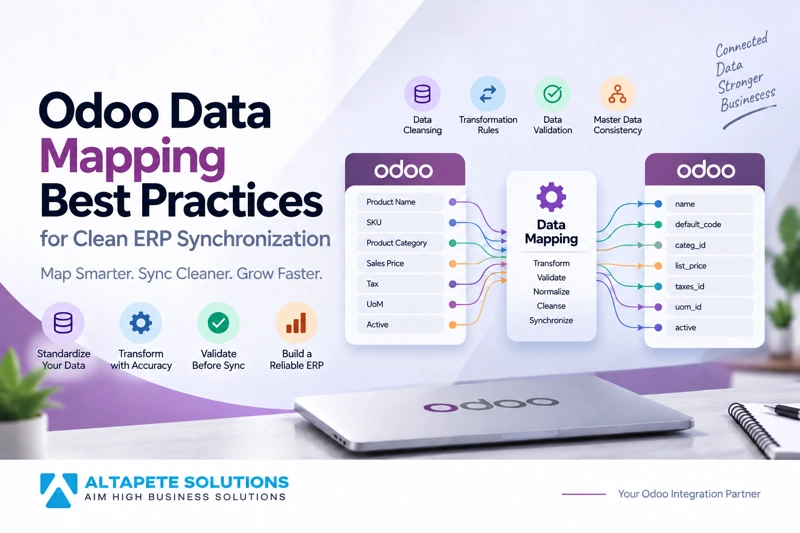
Odoo Data Mapping Best Practices for Clean ERP Synchronization
Odoo data mapping is the foundation of reliable ERP synchronization because it determines how information from one system is interpreted, transformed, validated, and stored inside another. When mapping rules are incomplete or inconsistent, even a technically successful integration can create duplicate records, incorrect values, broken relationships, and unreliable reporting.
A clean mapping strategy ensures that customers, products, orders, invoices, inventory records, and other business data arrive in the correct Odoo fields and formats. Strong Odoo field mapping also helps connected systems maintain a consistent understanding of the same business information even when their database structures are different.
The challenge is that two systems rarely organize information in exactly the same way. One application may store a complete customer name in a single field, while another separates company name, contact name, and legal name into different fields. The same differences can appear in currencies, dates, categories, tax codes, status values, product identifiers, and custom fields.
This guide explains practical Odoo data mapping best practices for clean ERP synchronization, including Odoo data transformation, Odoo data validation, normalization, master data management, cleansing, relationship mapping, and long-term mapping maintenance.
What Is Odoo Data Mapping?
Odoo data mapping is the process of defining how a field or data element in one system corresponds to a field in Odoo or another connected Odoo instance. It establishes the rules that tell an integration where information should go and how it should be represented after synchronization.
A simple mapping may connect a source field called customer_email with the appropriate email field in Odoo. More complex mappings may require combining several source values, converting formats, applying conditional rules, or looking up related records before the destination value can be created.
This is why Odoo field mapping should never be treated as a basic spreadsheet exercise. The mapping layer often contains important business logic that determines how connected systems understand customers, products, financial records, inventory, and transactions.
When mapping is designed carefully, ERP synchronization becomes predictable. When it is designed poorly, errors can spread quickly across every system connected to the integration.
Why Clean Data Mapping Matters for ERP Synchronization
ERP systems depend on relationships between records. A sales order is connected to a customer, products, taxes, currency, payment terms, warehouse information, and sometimes several custom fields that control business processes.
If even one of these values is mapped incorrectly, the order may fail to synchronize or may enter Odoo with incorrect information. A wrong product mapping can affect inventory, while an incorrect tax mapping can create financial reporting problems.
Proper Odoo data mapping reduces these risks by creating consistent rules before information begins moving between systems. It also makes errors easier to identify because every source field has a documented destination and transformation rule.
Clean mapping becomes even more important in multi-company and Odoo-to-Odoo environments where similar records may exist in several databases. A reliable mapping strategy helps each instance understand which records correspond to one another.
Start With the Business Process Before Mapping Fields
A common mistake is to begin mapping fields before understanding the business workflow behind the data. Two fields may look similar technically but represent different business concepts.
For example, a source system may contain a field called customer_status, while Odoo contains several possible fields that could appear relevant. Before mapping them, the integration team needs to understand whether the source value represents sales status, account status, customer type, approval state, or another business concept.
Successful Odoo data mapping therefore begins with process discovery. Teams should understand where the information originates, who maintains it, why it needs to synchronize, and which system should remain responsible for the final value.
This business-first approach reduces incorrect assumptions and prevents mappings that appear technically correct but create problems later in normal operations.
Define a Clear Source of Truth
Every important data category should have a clearly defined source of truth. This is the system that has final authority over the information and determines which value should be trusted when differences appear.
For example, headquarters may control product names and product codes while a regional Odoo instance controls local pricing. In another organization, a CRM may control customer contact information while Odoo remains responsible for payment terms and accounting-related values.
Without clear ownership, Odoo data mapping can create conflicts because multiple systems may attempt to update the same field. The integration then has no reliable way to determine which value should be preserved.
Defining ownership at field level is often more effective than assigning an entire record to one system. This allows different applications to control the specific information they manage best.
Build a Field Mapping Document
A formal mapping document gives the integration team a shared reference for every important data element. It should explain the source field, destination field, field type, transformation rule, validation requirement, ownership, and any special conditions that affect synchronization.
The document should also include custom fields, selection values, related records, and fields that should intentionally remain unmapped. Leaving a field unmapped can be a valid decision when that information is local to one system.
A structured mapping document makes Odoo field mapping easier to test and maintain. When a business requirement changes, developers can identify which rules need to be updated without reverse-engineering the entire integration.
This documentation is especially valuable when multiple developers, consultants, or business teams work on the same integration over time.
Understand Odoo Field Types Before Mapping
Different Odoo field types store information in different ways. A text value cannot always be mapped directly into a relational or selection-based field without additional processing.
Common field categories include text fields, numeric values, dates, selections, Boolean values, and relational fields that connect one record to another. Relational fields require particular attention because the integration needs to identify the correct related record rather than simply copying a visible name.
For example, mapping a customer to a sales order should normally rely on a reliable identifier or existing relationship rather than matching only the customer name. The same principle applies to products, taxes, currencies, categories, and other linked records.
Odoo's current developer documentation explains that available models, fields, and methods can vary by database, which is why technical teams should inspect the actual database schema when planning mappings. Odoo official External API documentation
Use Stable Identifiers Instead of Names
Names are convenient for people but often unreliable for integrations. Customers can share similar names, product descriptions can change, and users may enter the same name differently across systems.
A cleaner Odoo data mapping strategy uses stable identifiers wherever possible. Products may be matched using SKU, barcode, or a dedicated external ID, while customers may use a customer reference, tax number, integration key, or another controlled identifier.
These identifiers allow the integration to distinguish between new and existing records more reliably. They also reduce the risk of creating duplicates when the same information is synchronized more than once.
Stable identifiers become especially important in Odoo-to-Odoo synchronization because internal database IDs are not guaranteed to represent the same records across different databases.
Do Not Assume Internal IDs Match Between Odoo Instances
Two Odoo databases may contain a record with the same numerical internal ID, but those IDs may refer to completely different business records. Using internal database IDs as universal identifiers can therefore create serious synchronization errors.
For example, product ID 125 in one Odoo environment may represent a laptop, while product ID 125 in another database may represent an office chair. A direct ID-to-ID assumption would connect unrelated records.
A safer Odoo field mapping strategy maintains a dedicated external identifier or mapping relationship between source and destination records. This allows the integration to know exactly which records correspond across systems.
A mapping might effectively represent Source Product A as Integration Key X and connect that key to Destination Product B. This remains stable even when internal IDs differ.
Normalize Data Before Synchronization
Normalization converts inconsistent information into a standard format before the data is compared or synchronized. This is particularly useful when systems have been maintained independently for a long period.
Telephone numbers may contain spaces, country codes, brackets, or different formatting conventions. Customer names may contain inconsistent capitalization, while country or state values may use abbreviations in one database and full names in another.
Normalization allows the integration to compare equivalent values more accurately. It can also improve duplicate detection because records that appear different visually may actually represent the same business entity.
For clean Odoo data mapping, normalization rules should be documented and applied consistently rather than changing values differently depending on where the record originates.
Use Data Transformation Rules Carefully
Odoo data transformation changes source information into the format required by the destination system. Transformation is necessary when two systems represent the same business concept differently.
Suppose the source system uses Wholesale while the Odoo environment expects B2B. The mapping layer can transform the incoming source value into the approved Odoo selection value before creating or updating the record.
Transformations may also convert dates, currencies, measurement units, status codes, Boolean values, tax categories, and other controlled information. Some transformations may combine several source fields or split one source value into multiple Odoo fields.
Every transformation rule should be predictable and documented. Hidden transformation logic makes future maintenance difficult and can cause inconsistent results when new values are introduced.
Avoid Unnecessary Transformations
Transformation is useful, but excessive transformation can make an integration difficult to understand and maintain. A simple direct mapping is usually preferable when both systems already represent the information in the same way.
Every additional rule introduces another place where errors can occur. Complex conditional mappings may also become difficult to update when business processes change.
The best Odoo data mapping design transforms information only when there is a clear reason to do so. The integration should preserve the original meaning of the information rather than modifying data simply to make development easier.
When complex transformation is necessary, the business logic should be documented alongside the technical implementation so future teams understand why the rule exists.
Apply Odoo Data Validation Before Writing Records
Odoo data validation checks whether incoming information is acceptable before the integration creates or updates records. Validation protects the ERP from incomplete, unsupported, or inconsistent data.
For example, a sales order should not be created if its customer cannot be identified, required products are missing, the currency is unsupported, or tax mappings are incomplete. Allowing partially valid transactions into the system can create problems that are more difficult to correct later.
Validation rules should therefore run before critical write operations whenever possible. The integration should clearly identify why a record failed rather than silently skipping or changing important information.
Strong validation turns Odoo data mapping into a quality-control layer instead of merely a field-transfer mechanism.
Validate Selection Values
Selection fields require special attention because the destination system generally accepts only predefined values. A source system may use different labels or codes for the same business status.
For example, the source might send Active Customer, while Odoo expects a value represented by a different technical code. A mapping rule needs to convert the source value to the exact accepted destination value.
Testing should also include values that are not included in the mapping table. If an unknown status arrives, the integration should follow a defined error process instead of selecting a random or default value without business approval.
This type of Odoo data validation helps prevent incorrect classifications that may later affect workflows, automation, reporting, or access rules.
Validate Required Fields
Required fields should be checked before attempting synchronization. The integration should know which information is essential for each destination model and business workflow.
A customer record may require different information than an invoice or product record. Custom Odoo modules may also introduce additional required fields that do not exist in a standard database.
The mapping specification should identify required values and define what happens when they are missing. The integration might reject the record, use an approved default, or hold the transaction for review depending on the business requirement.
Consistent validation prevents partially populated records from entering Odoo and reduces the need for manual cleanup after synchronization.
Clean Existing Data Before Building the Integration
Odoo data cleansing should ideally happen before large-scale synchronization begins. Integration does not automatically improve poor-quality data; it can simply distribute existing problems into more systems.
Duplicate customers, inconsistent product codes, invalid email addresses, outdated references, and incomplete master records can all create mapping problems. If these issues are not addressed before integration, matching rules become less reliable.
Data cleansing may involve merging duplicates, correcting identifiers, standardizing formats, completing required information, and removing obsolete values. The goal is to create a stable starting point for synchronization.
Clean source data makes Odoo data mapping more predictable and reduces the number of exceptions the integration must handle.
Establish Master Data Rules
Master data includes important shared business records such as customers, suppliers, products, categories, units of measure, taxes, currencies, and price lists. These records are frequently referenced by transactions and should therefore be mapped carefully.
Businesses should determine where each type of master data originates and which systems are allowed to modify it. If headquarters controls products, regional systems should not independently change globally managed product identifiers unless that behavior is intentional.
Clear master-data governance simplifies Odoo field mapping because developers know exactly which direction information should flow. It also reduces conflicts when several applications participate in the same process.
Good synchronization depends on both technical mapping and organizational agreement about who owns the data.
Map Related Records Before Transactions
Transactional records often depend on master records that must already exist. A sales order cannot be mapped correctly if its customer or products have not been identified in the destination environment.
The synchronization process should therefore respect record dependencies. Products, customers, currencies, taxes, and other required references may need to be synchronized before sales orders, invoices, or purchase documents.
This sequence prevents transactions from failing because a related record is missing. It also makes troubleshooting easier because the integration can distinguish between a mapping error and a missing dependency.
Reliable Odoo data mapping is therefore not only about fields; it also considers the order in which related records become available.
Handle Custom Fields Explicitly
Custom Odoo fields should never be assumed to have direct equivalents in another system. A custom field may represent a workflow rule, regulatory requirement, internal classification, or unique business concept.
The integration team should review each custom field and determine whether it needs synchronization. Some custom values may remain local, while others may require transformation or corresponding custom development in the destination environment.
If a custom field is important to downstream automation, leaving it unmapped may cause business processes to fail even though the main record synchronizes successfully.
Documenting custom fields alongside standard fields helps create a complete Odoo field mapping specification and reduces surprises during testing.
Map Dates and Time Zones Consistently
Date and time information can create subtle synchronization problems because connected systems may use different time zones or date formats. A timestamp that appears correct in one application may represent a different moment when interpreted by another system.
The integration should define how dates and times are stored, transmitted, and displayed. Time-zone conversion should be intentional and tested with records created near date boundaries.
This is especially important for order dates, delivery dates, scheduled activities, inventory operations, and financial transactions. Incorrect conversions can affect reporting and workflow timing.
Consistent date handling is an important part of Odoo data transformation because time-related errors may not be immediately obvious to users.
Standardize Units of Measure
Different systems may represent quantity and measurement information differently. One system may use kilograms while another uses grams, or one database may store cartons while another records individual units.
The integration needs clear conversion rules when these values are not equivalent. Product configuration should also be checked because the unit of measure is often tied directly to inventory and purchasing behavior.
A mapping error in quantity units can create significant inventory discrepancies even if all other fields are synchronized correctly. This is why unit conversions should be tested using realistic business transactions.
Good Odoo data mapping protects both the meaning and the numerical value of information during synchronization.
Map Taxes and Financial Values Carefully
Financial fields require additional attention because small mapping errors can create larger accounting consequences. Tax codes, fiscal positions, accounts, payment terms, currencies, and journal-related values may differ across companies or regions.
A source tax name should not automatically be mapped to another tax simply because the labels appear similar. The integration team needs to confirm that the business and accounting meaning is actually equivalent.
Multi-company Odoo environments may require separate mappings for each legal entity. A tax or account used by one company may not be valid for another.
For financial integration, Odoo data validation should be strict enough to stop questionable mappings before transactions reach accounting workflows.
Use Controlled Default Values
Default values can be useful when the source system does not provide information required by Odoo. However, defaults should be approved business rules rather than convenient technical shortcuts.
For example, assigning a standard warehouse or customer category may be acceptable if every incoming record genuinely belongs to that configuration. Using a default tax or company simply because the correct value is missing could create much more serious problems.
Every default should have a documented reason, and teams should understand how often it is being applied. Unexpected increases in default usage may indicate deteriorating source data quality.
Controlled defaults can simplify Odoo data mapping, but uncontrolled defaults can hide integration defects.
Avoid Hard-Coding Business Values
Hard-coded values can make an integration difficult to maintain. A tax ID, company ID, product category, or status value that works today may change when the Odoo database is upgraded or business configuration is modified.
Where possible, mappings should use stable external identifiers, controlled configuration, or lookup tables instead of values embedded directly inside integration code.
This separation allows administrators or developers to update mappings without changing core integration logic every time a business value changes.
Flexible configuration makes Odoo field mapping more resilient and reduces maintenance costs over the life of the integration.
Design Mapping for Multi-Company Environments
Multi-company synchronization requires an additional mapping layer because the same business concept may be configured differently across legal entities.
A product may be shared while taxes, warehouses, accounts, price lists, or payment terms remain company-specific. The integration must understand which values are global and which belong to a particular company.
Mapping rules should therefore include company context when necessary. The same source value may need to produce different destination values depending on which company receives the transaction.
This company-aware approach is especially important for Odoo data mapping in international organizations, subsidiaries, and distributed Odoo architectures.
Build Error Handling Into Mapping Rules
Mapping failures should produce useful errors rather than disappearing silently. If a source value cannot be transformed or a related record cannot be found, the integration should clearly identify the problem.
An effective error message might identify the source record, field, incoming value, expected mapping, and reason the transaction was rejected. This information can dramatically reduce troubleshooting time.
Errors should also be categorized according to whether they can be retried automatically or require data correction. A missing mapping usually needs a different response from a temporary network problem.
Good error handling makes Odoo data mapping easier to operate after deployment because exceptions can be understood and corrected efficiently.
Keep an Audit Trail of Mapping Decisions
Integrations should provide enough logging to explain how important records were synchronized. This is particularly useful when transformations or conditional mappings are involved.
If a user questions why a customer category, tax, price, or status appears a certain way in Odoo, the team should be able to trace the original value and mapping rule that produced the result.
An audit trail also helps during reconciliation, compliance reviews, and post-deployment troubleshooting. It can reveal whether the problem originated in source data, mapping logic, or the destination system.
Visibility makes complex Odoo data transformation much easier to manage over time.
Test Every Mapping With Realistic Data
A mapping should not be considered complete simply because one example works. Testing should include normal values, missing information, unexpected values, duplicates, custom fields, special characters, and high-volume scenarios.
Developers should also test both creation and updates. A field may map correctly when the record is created but behave differently during later synchronization.
Realistic test data is particularly important for older ERP databases where inconsistent values may already exist. Clean test records alone can create false confidence.
Thorough Odoo data mapping tests show whether the mapping can handle the data the business actually has, not just the data the project expects.
Perform Reconciliation After Data Mapping
Reconciliation verifies whether information remains consistent after synchronization. This can involve comparing record counts, identifiers, totals, statuses, or selected fields between source and destination systems.
For example, if 5,000 products are expected to synchronize, teams should confirm that all intended products exist in the destination and that important mapped fields contain the expected values.
Reconciliation can also detect cases where the integration reported success but the business result is still incorrect. This provides a stronger quality check than relying only on technical response codes.
Clean Odoo data mapping should therefore include both pre-sync validation and post-sync reconciliation.
Monitor Mapping Errors After Go-Live
Data mapping is not finished when an integration launches. New values, products, categories, custom fields, and business requirements can appear after production deployment.
Monitoring should identify unknown source values, missing mappings, transformation errors, failed validations, and repeated synchronization exceptions. These patterns often reveal when mapping rules need to be extended.
Businesses should also review mapping performance after major Odoo upgrades or application changes. A field that existed previously may be renamed, replaced, restricted, or used differently after configuration changes.
Continuous monitoring keeps Odoo field mapping aligned with the actual business environment.
Version-Control Mapping Changes
Mapping rules should change through a controlled process rather than being edited informally in production. Teams need to know what changed, why it changed, who approved it, and when the new rule became active.
Version control helps troubleshoot historical transactions because developers can identify which mapping logic was used at a particular time.
Changes should also be tested before deployment, especially when they affect financial, inventory, customer, or master-data fields.
Treating Odoo data mapping as maintainable configuration rather than one-time development makes ERP integrations much more reliable over the long term.
Review Mappings During Odoo Upgrades
Odoo upgrades can introduce changes to models, fields, workflows, permissions, or custom modules. Even if the integration code itself does not change, mapping behavior may need to be reviewed.
Before upgrading, teams should identify integration-critical fields and confirm whether their technical names, types, relationships, or business meanings remain compatible.
Custom fields deserve particular attention because upgrade work may alter how they are implemented or used. Regression testing should then confirm that synchronization still produces the expected results.
A mapping review should therefore be part of every significant ERP upgrade plan.
Common Odoo Data Mapping Mistakes
One of the most common mistakes is mapping fields because their names look similar without confirming their business meaning. Two fields can have nearly identical labels while representing different concepts.
Another mistake is attempting to synchronize every available field. This creates unnecessary complexity and increases the risk that one system will overwrite information that should remain locally controlled.
Teams also run into problems when they rely on names instead of stable identifiers, skip Odoo data cleansing, ignore custom fields, or fail to define a source of truth.
The strongest Odoo data mapping strategies remain selective, documented, business-driven, and easy to test.
How Odoo Data Mapping Supports Odoo-to-Odoo Integration
Odoo-to-Odoo synchronization may appear simpler because both systems use the same ERP platform. In reality, separate Odoo databases can still have different versions, custom fields, modules, company structures, categories, taxes, and workflow configurations.
This means mapping remains essential. The integration needs to understand how a customer, product, order, invoice, or other record in one database corresponds to its equivalent in another environment.
Organizations planning multi-instance synchronization can explore Altapete Solutions' Odoo Data Integration service for controlled Odoo-to-Odoo connectivity: https://altapetesolutions.com/odoo-to-odoo-data-integration
Strong Odoo data mapping helps maintain record relationships while allowing each Odoo instance to preserve the configuration required by its own operations.
When Custom Odoo Data Mapping Is Necessary
Standard mapping works well when both systems follow common data structures and business rules. Custom mapping becomes necessary when an organization has specialized workflows, custom Odoo modules, unique master-data structures, or complex transformation requirements.
A custom solution can support conditional mappings, company-specific values, unusual identifiers, advanced validation, and field-level ownership that a generic connector may not handle effectively.
However, customization should remain maintainable. Business logic should be documented, mappings should be configurable where practical, and the system should provide enough logging to explain failures.
The goal of custom Odoo data mapping is not to create more complexity but to accurately represent the real business process.
How to Create a Clean Odoo Data Mapping Strategy
A clean strategy starts by identifying which records genuinely need synchronization. From there, the business should define ownership, stable identifiers, field relationships, required transformations, validation rules, and the expected behavior when a mapping cannot be completed.
Existing information should then be cleaned and normalized before large-scale synchronization begins. Developers can create the mapping layer, while functional teams confirm that the resulting values make sense within real business workflows.
Testing should include normal records as well as duplicates, missing fields, unknown values, invalid relationships, and conflicting data. Post-sync reconciliation should confirm that source and destination systems remain aligned.
This process turns Odoo data mapping into a controlled data-management discipline rather than a collection of technical field assignments.
Final Thoughts
Odoo data mapping plays a central role in clean ERP synchronization because it defines how information is understood as it moves between systems. Reliable mapping protects customers, products, inventory, orders, invoices, and other business records from inconsistent or incorrect values.
The strongest approach combines Odoo field mapping, Odoo data transformation, Odoo data validation, Odoo data cleansing, normalization, master-data governance, stable identifiers, and clear ownership rules.
Businesses should also treat mappings as living assets. They need documentation, testing, monitoring, reconciliation, and review whenever Odoo, connected applications, or business processes change.
When these practices are applied consistently, Odoo data mapping can create cleaner synchronization, stronger data quality, and a more dependable ERP environment across connected systems.
Frequently Asked Questions About Odoo Data Mapping
1. What is Odoo data mapping?
Odoo data mapping defines how fields and values in a source system correspond to fields inside Odoo or another connected Odoo database. It can include direct field relationships as well as transformation, validation, normalization, and record-matching rules.
A good mapping strategy ensures that information maintains the same business meaning after synchronization. It also reduces duplicates, failed transactions, and inconsistent records between connected systems.
2. Why is Odoo field mapping important?
Odoo field mapping ensures that incoming information is stored in the correct Odoo fields and relationships. Without accurate mapping, a technically successful integration can still create incorrect customer, product, order, inventory, or financial information.
Field mapping also makes synchronization more maintainable because developers and business users can clearly understand how information moves between systems.
3. What is Odoo data transformation?
Odoo data transformation converts source information into the format expected by Odoo. This may include changing selection values, date formats, units, categories, status codes, currencies, or other controlled business values.
Transformation should be used only when required and should always follow documented business rules. Excessive or undocumented transformations make integrations harder to maintain.
4. What is Odoo data validation?
Odoo data validation checks whether incoming information meets the requirements of the destination system before a record is created or updated. It may verify required fields, relationships, identifiers, formats, selection values, company assignments, and business rules.
Validation helps prevent incorrect or incomplete information from entering Odoo and reduces the amount of manual cleanup required after synchronization.
5. What is data normalization in Odoo integration?
Normalization standardizes information before matching or synchronization. It may standardize telephone formats, capitalization, country names, product codes, addresses, or other values that are represented differently across systems.
This helps improve record matching and reduces false duplicates caused by formatting differences rather than genuine differences in business data.
6. Should internal Odoo IDs be used for mapping?
Internal IDs should not normally be assumed to match across independent Odoo databases. The same numerical ID can represent completely different records in separate environments.
Dedicated external identifiers, business references, or controlled mapping tables are generally safer for Odoo data mapping between separate systems.
7. How does data cleansing improve Odoo synchronization?
Odoo data cleansing removes or corrects duplicate, incomplete, outdated, and inconsistent information before synchronization begins. Cleaner source information improves matching accuracy and reduces the number of mapping exceptions.
Integration does not automatically fix poor data quality. Without cleansing, it may simply copy existing problems into additional systems.
8. How should custom fields be mapped in Odoo?
Custom fields should be reviewed individually to determine their business meaning and whether they need to synchronize. Some may map directly, while others require transformation, custom destination fields, or company-specific logic.
Teams should also test whether downstream workflows depend on those fields because omitting an important custom value can affect automation even when the main record synchronizes successfully.
9. How often should Odoo data mappings be reviewed?
Mappings should be reviewed whenever Odoo is upgraded, custom modules change, new fields are introduced, business processes are modified, or connected systems change their data structures.
Ongoing monitoring can also reveal new unmapped values or repeated validation failures that indicate existing mapping rules need to be updated.
10. When should a business use custom Odoo data mapping?
Custom Odoo data mapping is useful when standard connectors cannot represent unique business rules, custom fields, company-specific mappings, complex transformations, or specialized validation requirements.
The custom mapping should still be documented, testable, and maintainable so future changes can be made without rebuilding the entire integration.